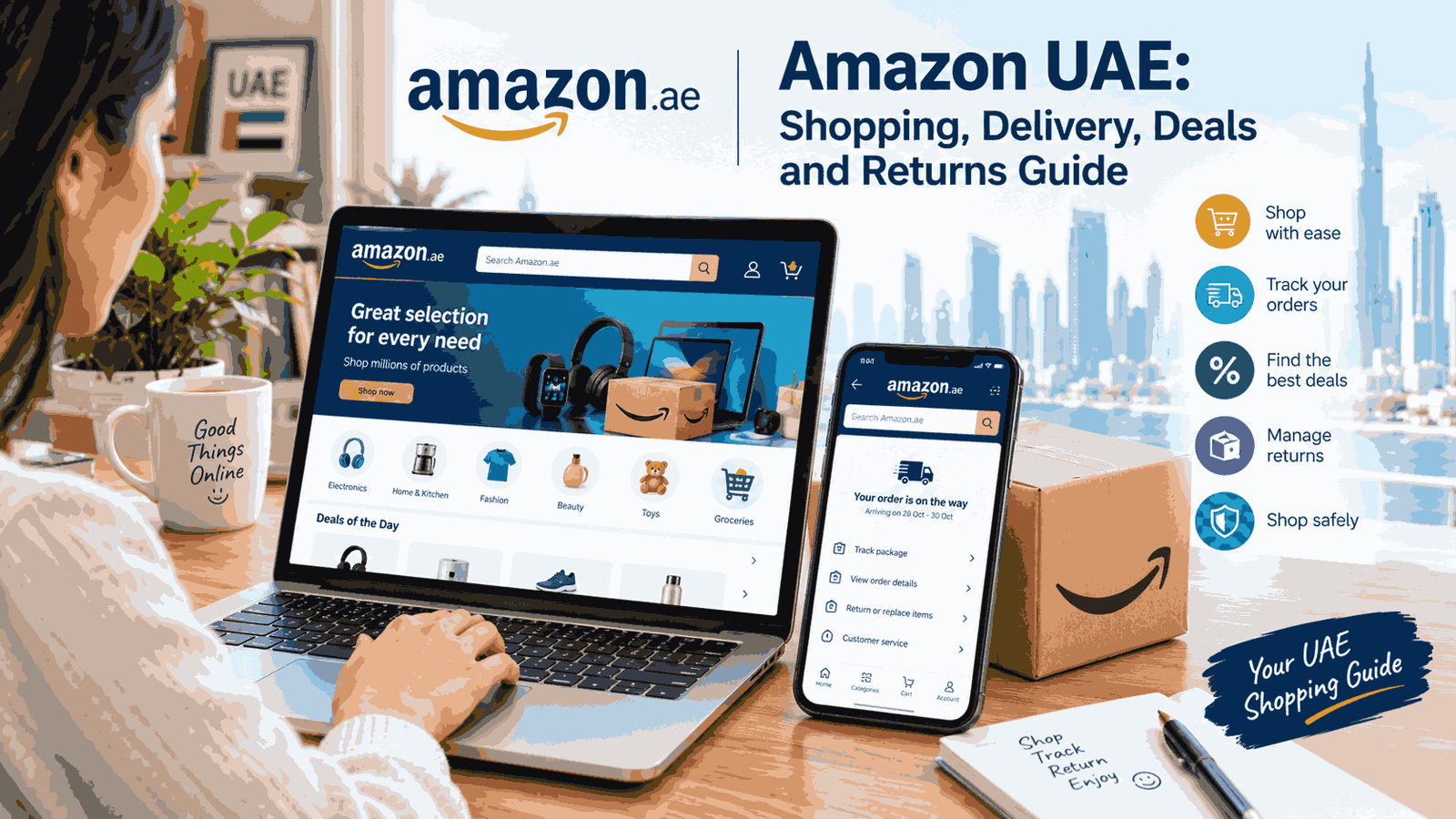
Amazon UAE: Shopping, Delivery, Deals and Returns Guide
Shopping online can save time, especially when you want to compare products without visiting several stores. For people living in the United Arab Emirates, Amazon UAE offers a convenient way to browse electronics, home essentials, clothing, books, beauty products, groceries and many other categories from one website.
The official UAE store is Amazon.ae. You can browse products, compare listings, review delivery estimates and manage orders through the website or Amazon shopping app. However, the price, delivery options and return conditions can differ from one item to another, so it is worth checking the details before you pay.
Safety note — last checked: 28 October 2026: EmaratSmart.com is an independent information website, not Amazon or a government service. For current prices, delivery dates, account support and return eligibility, check Amazon.ae and its official help pages. Use the official website or app rather than links sent by unknown people. Never share your password, payment details or one-time verification code with someone claiming to help with an order.
What is Amazon UAE?
Amazon UAE is Amazon’s online shopping marketplace for customers in the United Arab Emirates. Its local website, Amazon.ae, brings together products from Amazon and participating third-party sellers.
You can use it to search for a particular item, compare available options, read customer reviews, check product specifications and place an order for delivery to an eligible address.
The website includes a wide range of shopping categories, such as:
- Mobile phones, computers and other electronics
- Home appliances and kitchen products
- Clothing, shoes and accessories
- Beauty, personal care and health products
- Books, stationery and school supplies
- Toys, games and baby products
- Grocery items and everyday essentials
- Sports, fitness and outdoor products
Product availability changes, and not every item is available for delivery to every UAE address. Check the product page and checkout screen for the most accurate information.
How to shop on Amazon.ae in the UAE
If you are new to Amazon UAE, the process is straightforward. Follow these steps before placing your first order.
Step 1: Open the official website
Visit Amazon.ae or open the official Amazon shopping app. Check that you are using the UAE store rather than a different country’s Amazon website.
This matters because prices, product availability, delivery options and account settings may differ between marketplaces.
Step 2: Search for the product
Enter the name of the item you want in the search bar. You can also browse categories if you are still deciding what to buy.
Try adding useful details to your search. For example, instead of searching only for “headphones,” you might search for “wireless headphones with noise cancellation.” This can help narrow the results.
Step 3: Compare product listings
Do not choose an item based only on its picture or headline price. Open the product page and check the specifications, size, colour, included accessories, warranty information where available, customer reviews and seller details.
For electronics, confirm the model and technical specifications. For clothing, check the size chart. For household items, review the dimensions so that the product fits the space where you intend to use it.
Step 4: Check the seller and delivery estimate
Look at the seller information and the delivery estimate displayed for your address. Marketplace products may be offered by different sellers, and the available delivery or return arrangements can vary.
A product page may show a faster delivery option for one address and a different estimate for another. Do not assume that every product can arrive on the same day.
Step 5: Add the item to your basket
Choose the correct variation, such as size, colour or storage capacity, and add it to your basket. Before continuing, review the quantity and make sure you have selected the intended version of the product.
Step 6: Review the checkout details
At checkout, confirm your delivery address, item price, delivery charge if applicable, discounts and total amount. Check the estimated arrival date again before placing the order.
Only confirm the purchase when the details are correct. If you are using a promotion, make sure the discount appears in the order total rather than assuming it will be applied later.
Step 7: Place the order and keep the confirmation
Follow the payment instructions shown by Amazon. Once the order is placed, keep the confirmation email or check the order in your account.
You can return to your account to review the order status and delivery updates.
Does Amazon UAE deliver across the UAE?
Amazon.ae offers delivery to eligible addresses in the UAE, but the options can vary by location and product. A service available in one neighbourhood may not be available in another.
Before ordering, enter or select your delivery address and check the date shown on the product page or at checkout. This is more reliable than depending on an estimate from an old article or social media post.
Amazon UAE delivery options
Depending on the item and your address, you may see different delivery choices.
| Delivery option | What to know |
|---|---|
| Standard delivery | Check the estimated arrival date and any displayed charge before ordering. |
| Faster or same-day delivery | Available only for eligible products and locations when offered at checkout. |
| Amazon Now | A fast-delivery service for selected everyday essentials in eligible areas. |
| Scheduled delivery | Some products may offer a delivery date or time arrangement. Follow the options shown for the item. |
| International products | Check the listing, delivery eligibility and any applicable charges or conditions before purchasing. |
Amazon has announced Amazon Now and two-hour delivery options for eligible UAE customers. Coverage and eligibility are not universal, so use the Amazon.ae website or app to see what is available for your address.
How to check an Amazon UAE delivery date
Open the product page and select the relevant product option. Make sure the correct delivery address is selected. The page should show an estimated arrival date or available delivery choices when the item is eligible.
For an order you have already placed, open Your Orders and select the relevant purchase to review its status and tracking details.
Remember that an estimated date is not the same as a guarantee. If the delivery estimate changes, check the latest information in your account.
What is Amazon Prime UAE?
Amazon Prime is a paid membership that offers eligible shopping and entertainment benefits. Its available benefits and terms can change, so review the current information on the official Amazon Prime UAE page before subscribing.
Depending on the current membership terms and the item, benefits may include eligible delivery offers, access to selected deals and Prime Video entertainment. Not every product or delivery option necessarily qualifies for every benefit.
Is Amazon Prime worth it in the UAE?
That depends on how you use Amazon.
Prime may be useful if you regularly order eligible products, value the delivery benefits available to members, or use the included entertainment services. If you shop only occasionally, paying for a membership may not be worthwhile.
Before signing up, compare the current membership fee with the benefits you realistically expect to use. Check whether the plan renews automatically, when the next payment is due and how to cancel if you no longer need it.
Do not rely on an old promotion or price quoted in a previous article. Confirm the current fee and any trial or promotional terms on Amazon’s official page.
How to find deals on Amazon UAE
A discount label does not automatically mean that a product is the best value. Comparing the final price, specifications and seller information can help you make a more informed decision.
Here are some practical ways to shop more carefully.
Compare the final price
Check the price shown at checkout, including any delivery charges. A product with a lower headline price may not be the cheapest option after all costs are considered.
Read reviews with care
Look at reviews that discuss the specific model or version you are considering. Pay attention to repeated comments about quality, compatibility, durability or missing accessories.
Reviews can be helpful, but they are individual experiences rather than a guarantee that you will have the same result.
Check the model number
Products with similar names can have different specifications. For example, two phones may have different storage capacities, while two appliances may differ in size or included features.
Compare the exact model before deciding.
Check promotion conditions
Some deals may apply only to selected products, eligible customers or particular payment methods. Others may have a limited period or stock availability.
Read the terms and confirm that the discount is reflected in your basket before completing the purchase.
Compare value, not only discounts
A larger percentage discount is not always a better deal. Consider the product’s features, suitability, warranty information where available, seller details and the final price.
If you do not need the item, buying it just because it is on sale may not save you money.
What payment methods can you use on Amazon UAE?
The payment methods available to you depend on the order, account and current Amazon.ae checkout options. Check the payment choices shown when placing your order rather than assuming every method is accepted for every purchase.
Depending on eligibility, the checkout may offer supported bank cards or other payment options. Availability can vary by product and transaction type.
Before paying:
- Confirm that you are on the official Amazon.ae website or app.
- Check the order total and delivery details.
- Use a payment method you are authorised to use.
- Never send money directly to a seller outside Amazon’s approved checkout process.
- Do not share your password or one-time verification code with anyone claiming to process your payment.
If a payment fails, check the payment details and any message displayed in your account. If the problem continues, use Amazon’s official customer-service options rather than following instructions from an unknown caller or message.
How to track an Amazon UAE order
You do not need to guess where your parcel is. Amazon provides order-management tools through your account.
- Open Amazon.ae or the official app.
- Sign in to the account used to place the order.
- Go to Your Orders.
- Find the relevant purchase.
- Select the tracking or order-details option shown.
- Review the latest status and any delivery information provided.
The available tracking detail depends on the order and delivery stage. If the parcel is delayed, check the latest estimate and follow the support options shown for that order.
If an order is marked as delivered but you cannot find it, first check the delivery information and any permitted delivery location shown in your account. If it is still missing, report the problem through Amazon’s official help channel.
How to return an item on Amazon UAE
Return eligibility can depend on the product category, seller, condition of the item and the policy shown for that order. Do not assume that every purchase has the same return period or that every return is free.
Before buying, review the return information on the product page. After purchase, use the options available in your order history.
General steps for requesting a return
- Sign in to the Amazon account used for the purchase.
- Open Your Orders.
- Select the item you want to return.
- Choose the return or replacement option if it is available.
- Follow the instructions and select from the eligible return methods shown.
- Keep the confirmation and any return tracking information.
The available options may differ between products. Some items may have restrictions or special instructions, so read the return details carefully before sending anything back.
How long does an Amazon UAE refund take?
There is no single refund timeframe that should be assumed for every UAE order. Processing can depend on the return status, product, payment method and other circumstances.
Check the refund status in your Amazon account and review any message or confirmation sent about the return. If the displayed timeframe has passed or the status is unclear, contact Amazon through the official help channel.
For more help, start from Amazon.ae and navigate to the customer-service section.
How to contact Amazon UAE customer service
For an order problem, payment question, delivery issue or return request, start with Amazon’s official customer-service options.
The account-based help tools allow customers to choose the order or issue they need help with. Depending on the situation, available options may include self-service instructions, chat or another contact method.
To get started:
- Visit Amazon.ae.
- Sign in to the account associated with your order.
- Open the customer-service or help section.
- Select the relevant order or issue.
- Follow the available instructions.
Avoid trusting phone numbers or social media accounts just because they use Amazon’s name or logo. If someone contacts you unexpectedly and asks for your password, one-time code or a direct money transfer, do not comply. Go to the official website or app yourself and check the issue there.
Is Amazon UAE safe to use?
Shopping through the official Amazon.ae website or app provides a recognised way to browse products and manage orders, but you should still make careful decisions.
Amazon includes products offered by third-party marketplace sellers as well as products sold directly through Amazon. That means checking the listing and seller information remains important.
Use these precautions:
- Check the website address before signing in.
- Review the seller, product specifications and return terms.
- Be cautious of prices that seem unusually low compared with similar listings.
- Keep your password private and use available account-security settings.
- Never disclose a one-time password or verification code to a caller or message sender.
- Do not pay a seller outside the official checkout.
- Report suspicious order messages or account activity through the official help tools.
If a message says your account will be closed unless you click a link immediately, do not rush. Open Amazon.ae independently and check your account there.
Common Amazon UAE shopping problems
My order has not arrived
Open Your Orders and check the latest delivery estimate. If the estimated date has passed, follow the help options available for that order.
The delivery date has changed
Delivery estimates can change. Check the current order details for the latest information and any available next steps.
My payment was declined
Review the payment method and the message shown at checkout. If needed, use a supported alternative displayed in your account or contact your payment provider through its official channel.
I cannot return an item
Check the return information for that specific product and order. If the return option is unavailable or the reason is unclear, contact Amazon customer service for guidance.
I received the wrong product
Open the order in your account and select the available help, return or replacement option. Keep the packaging and product information until you know what steps are required.
I cannot access my account
Use the official account-recovery process on Amazon.ae. Do not give your password or verification code to someone who claims they can recover your account for you.
Amazon UAE: Frequently asked questions
What is the official Amazon website for the UAE?
The official UAE shopping website is Amazon.ae.
Can I shop on Amazon UAE without Prime?
You can browse Amazon.ae without a Prime membership. Whether you need a membership for a particular benefit depends on the current terms and the item or service you choose.
Does Amazon UAE offer fast delivery?
Amazon has announced fast-delivery services for eligible UAE locations and products. The available options depend on your address and the item, so check the current estimate shown on Amazon.ae.
Is delivery free on Amazon UAE?
Delivery charges and free-delivery eligibility can vary by product, location, membership and service. Check the final cost at checkout before placing an order.
How do I track an Amazon UAE parcel?
Sign in, open Your Orders, select the purchase and review its latest tracking or delivery information.
Can I return every item bought on Amazon.ae?
Not necessarily. Return eligibility and conditions can vary by product and seller. Review the policy shown on the product page and in your order details.
How do I check my Amazon UAE refund?
Open the relevant order or returns section in your account and review the refund status and any instructions provided.
How do I contact Amazon UAE?
Start from the official Amazon.ae website or app, open customer service, and select the relevant order or issue to see the available support options.
Should I trust an Amazon customer-service number sent to me in a message?
Be cautious. Do not rely on an unsolicited number or link. Open Amazon.ae yourself and use the customer-service options provided through the official website or app.
Final thoughts
Amazon UAE can make online shopping convenient, but a good purchase starts with checking the details. Compare product specifications, review the seller, confirm the delivery estimate and look at the return conditions before paying.
For an order you have already placed, use Your Orders to track the parcel, review the status or begin an eligible return. For membership prices, current deals and fast-delivery options, check Amazon’s official UAE website because offers and eligibility can change.
The safest approach is simple: shop through Amazon.ae, verify the information shown for your own order, and use official support channels whenever something does not look right.